
Your screens in RealtyPA
Your demo and screening forms, built in RealtyPA's own look with your layouts.
Four phases, in the order we build them:
- ImprovedA screen RealtyPA has today, with your layout.
- NewSomething RealtyPA does not have yet.
Tap any screen to see it larger. Names and figures in the screens are samples.
Screening first
Your tenant and buyer forms become the questions on RealtyPA's screening page. That page is already built, so these come first.
 View larger
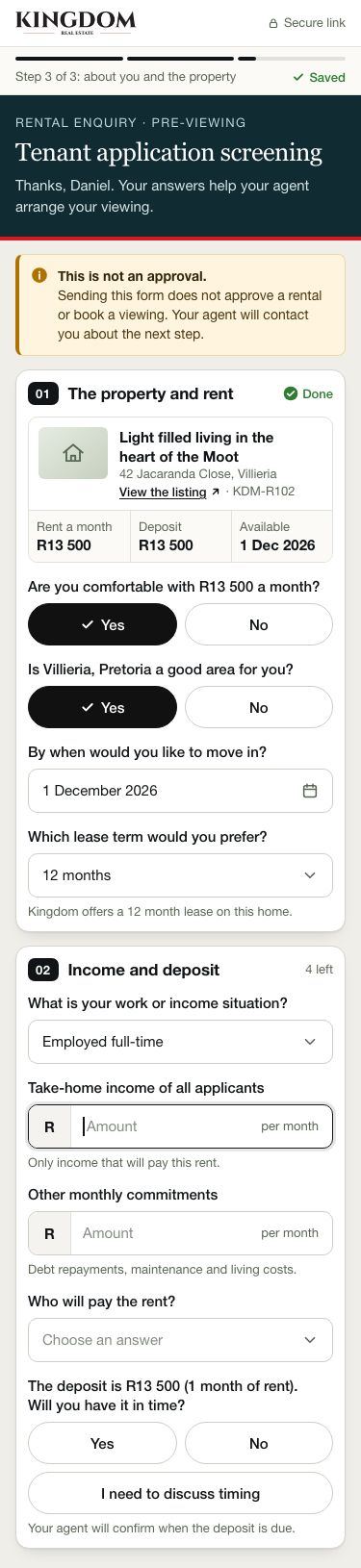
Tenant form, part 1
ImprovedThe tenant confirms the property and rent, then income and deposit, in numbered boxes that save as they go.
 View larger
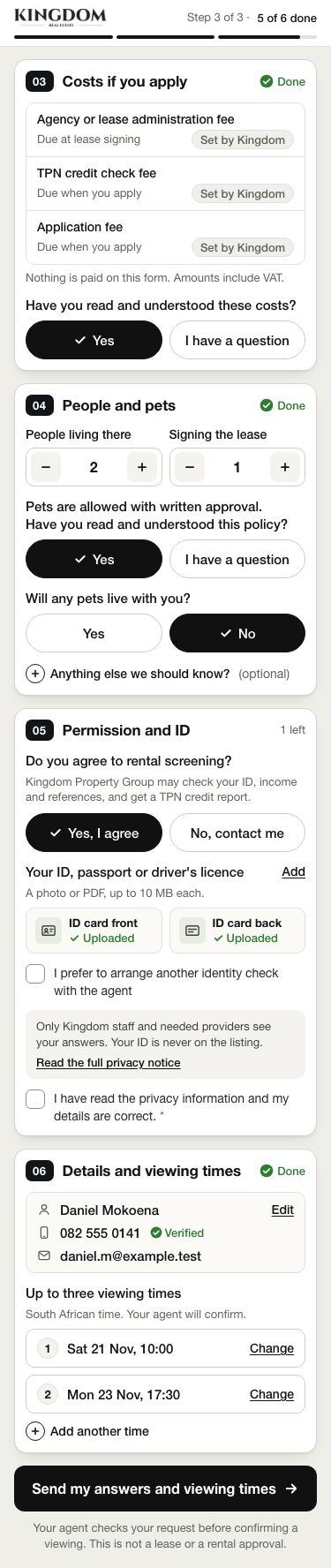
Tenant form, part 2
ImprovedYour fees and when each is due, people and pets, permission and ID, then up to three viewing times.
 View larger
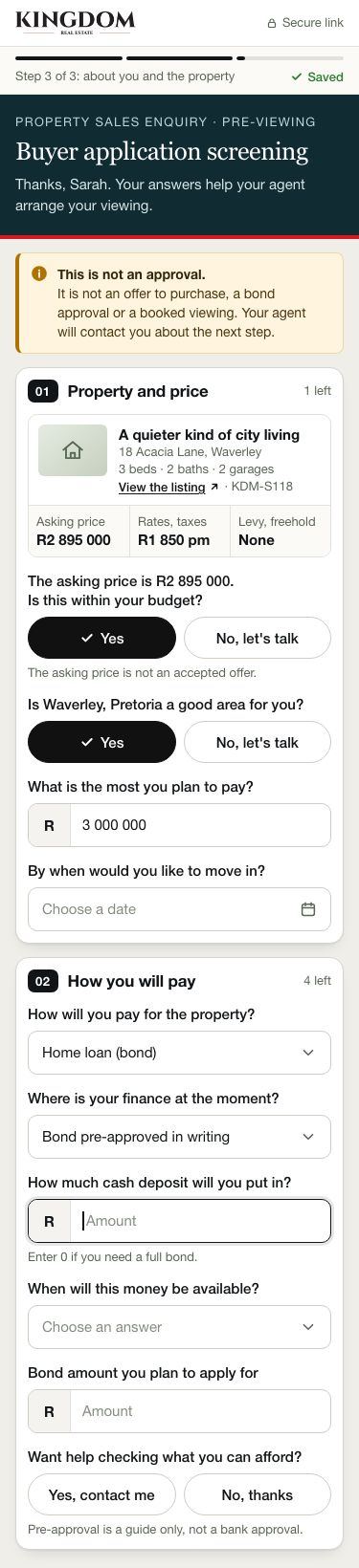
Buyer form, part 1
ImprovedThe buyer confirms the property and price, then how they will pay and when the money is ready.
 View larger
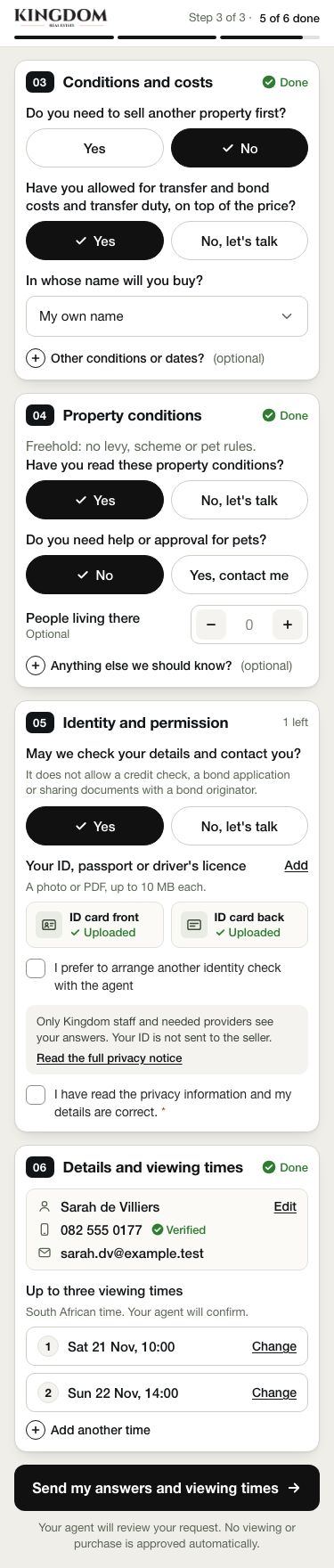
Buyer form, part 2
ImprovedConditions and costs, the property's conditions, identity and permission, then viewing times. Buyers get no credit check.
 View larger
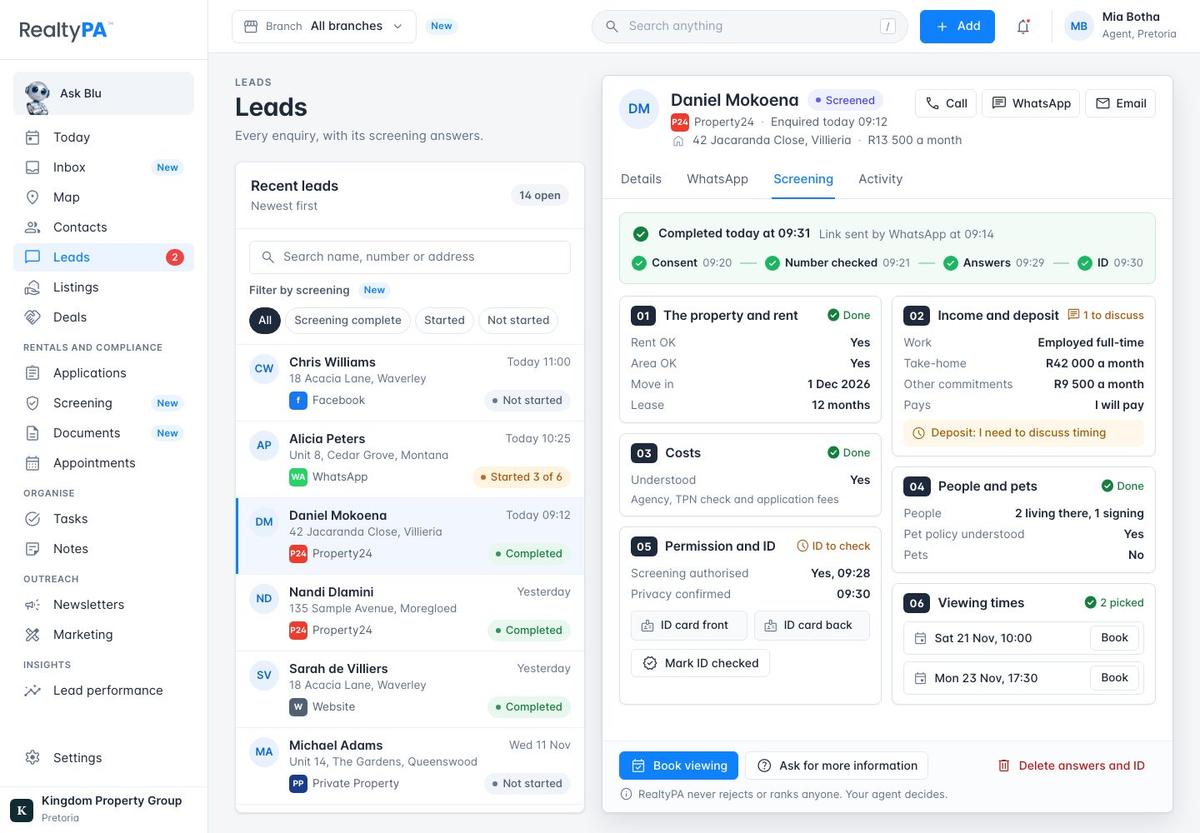
Where the answers land
ImprovedThe answers appear on the lead in the same six boxes. Anything to discuss is flagged, and each viewing time they picked has a Book button.
Daily pipeline
The screens your agents use all day.
 View larger
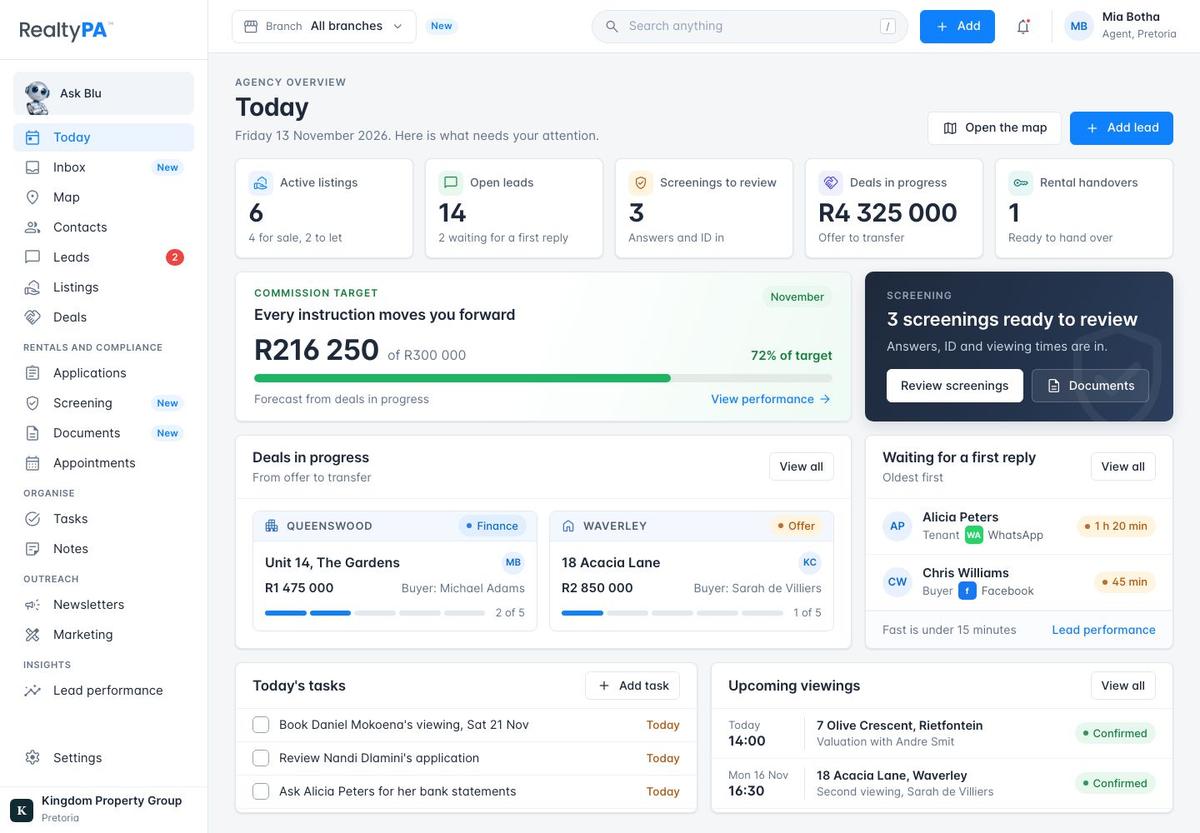
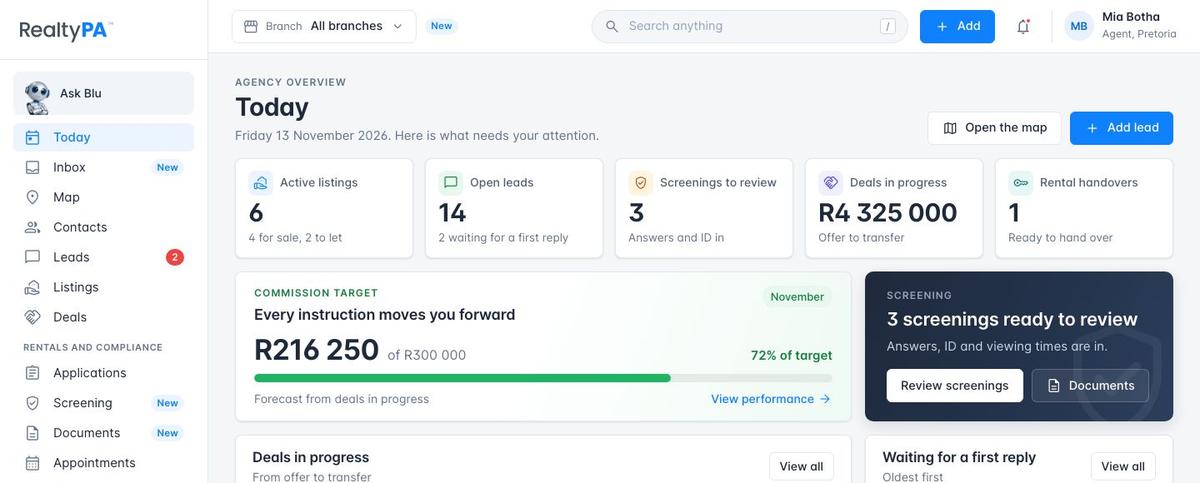
Today
ImprovedFive key numbers, your commission target, screenings to review, deals in progress and leads waiting for a first reply, on one page.
 View larger
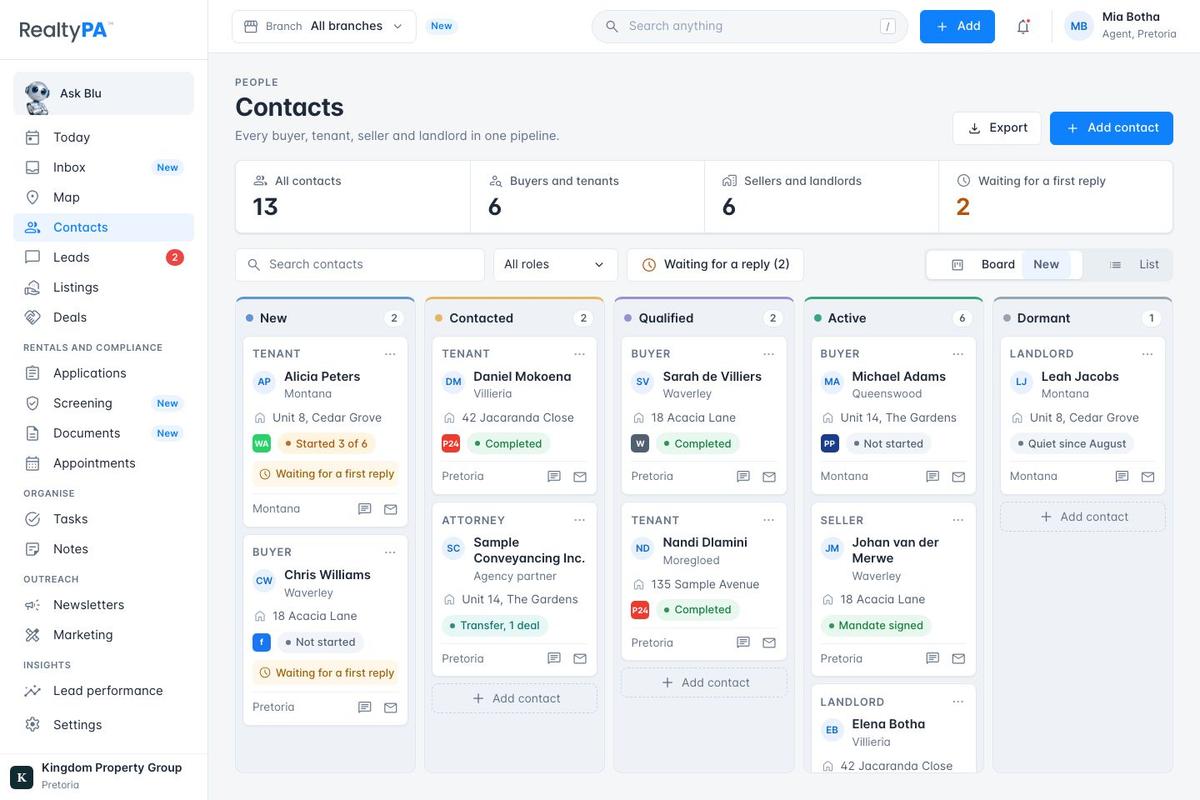
Contacts board
ImprovedEvery buyer, tenant, seller and landlord on one board, from New to Dormant, showing who is still waiting for a reply.
 View larger
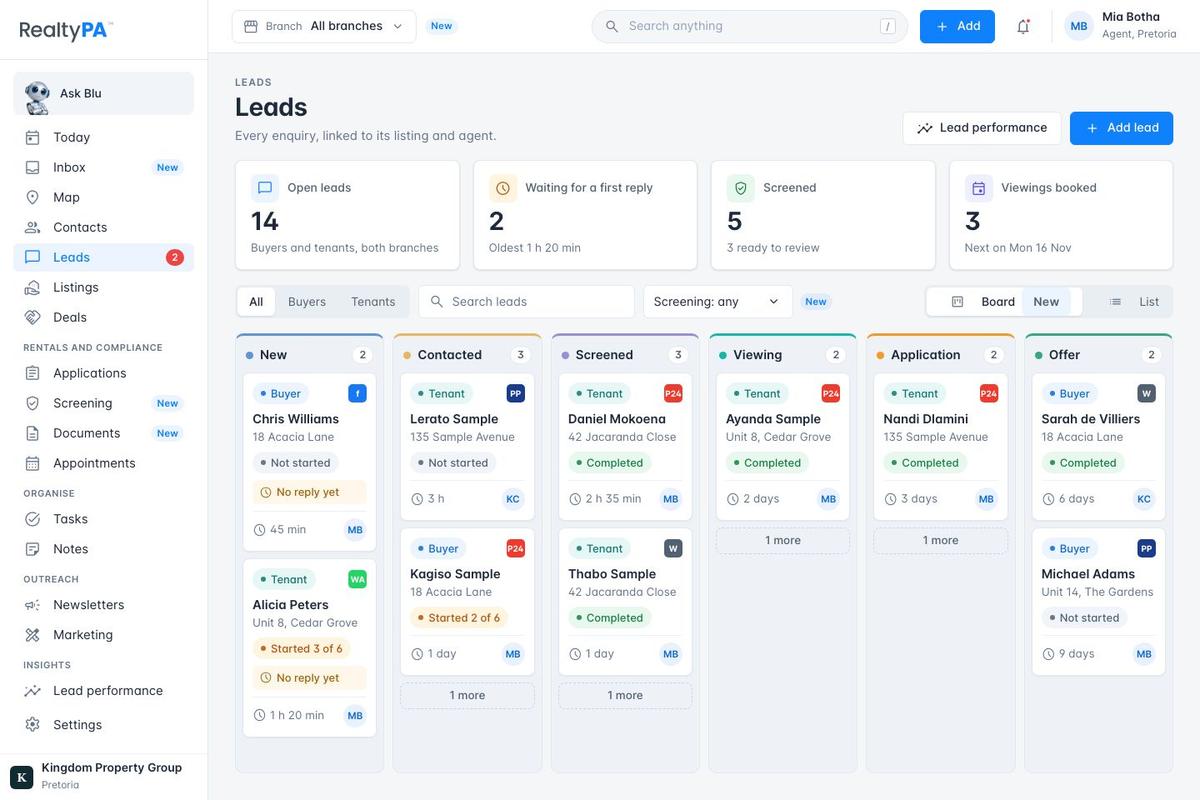
Leads board
ImprovedLeads move from New through Screened and Viewing to Offer, with the source, screening and time waiting on each card.
 View larger
Top bar and menu
ImprovedSearch, Add and alerts on every page, and a menu grouped like yours: daily work first, then rentals and compliance.
Records
Rentals, listings, deals and documents, each on one clear page, plus a page for the tenant.
 View larger
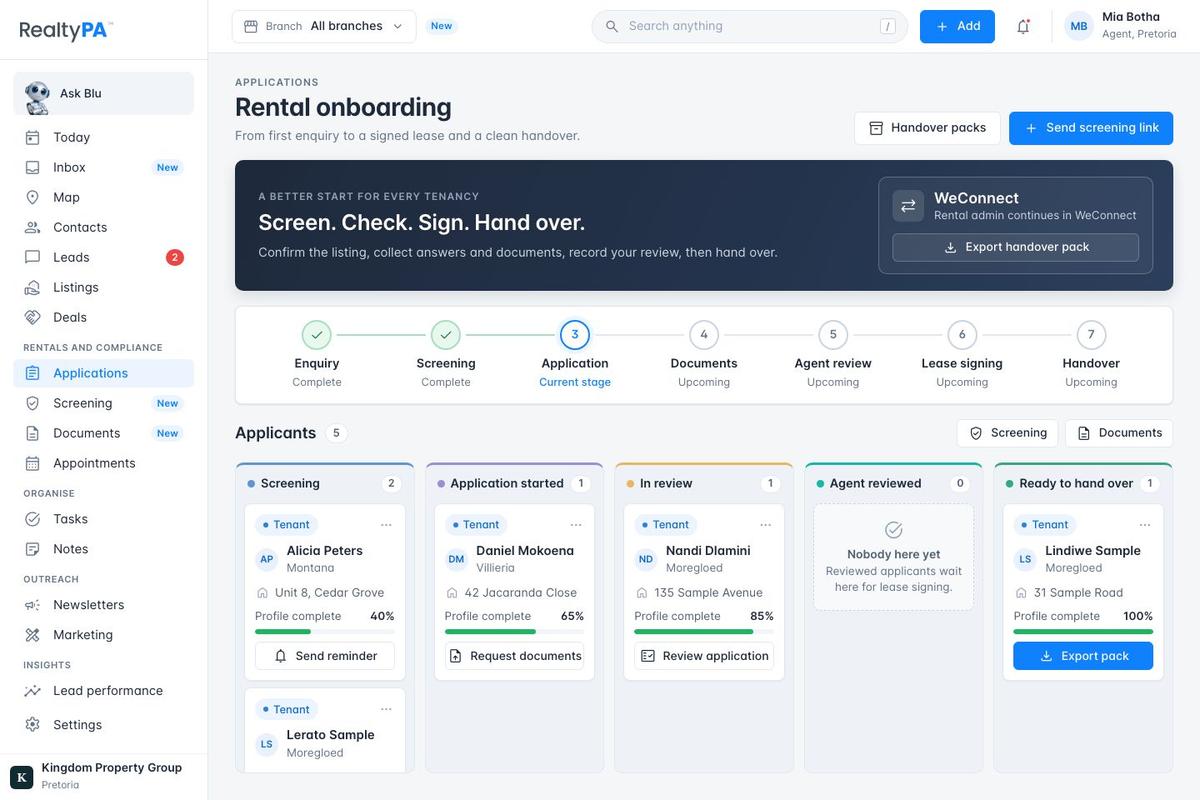
Rental onboarding
ImprovedEvery rental from first enquiry to handover in seven steps, with an applicant board and a handover pack for WeConnect.
 View larger
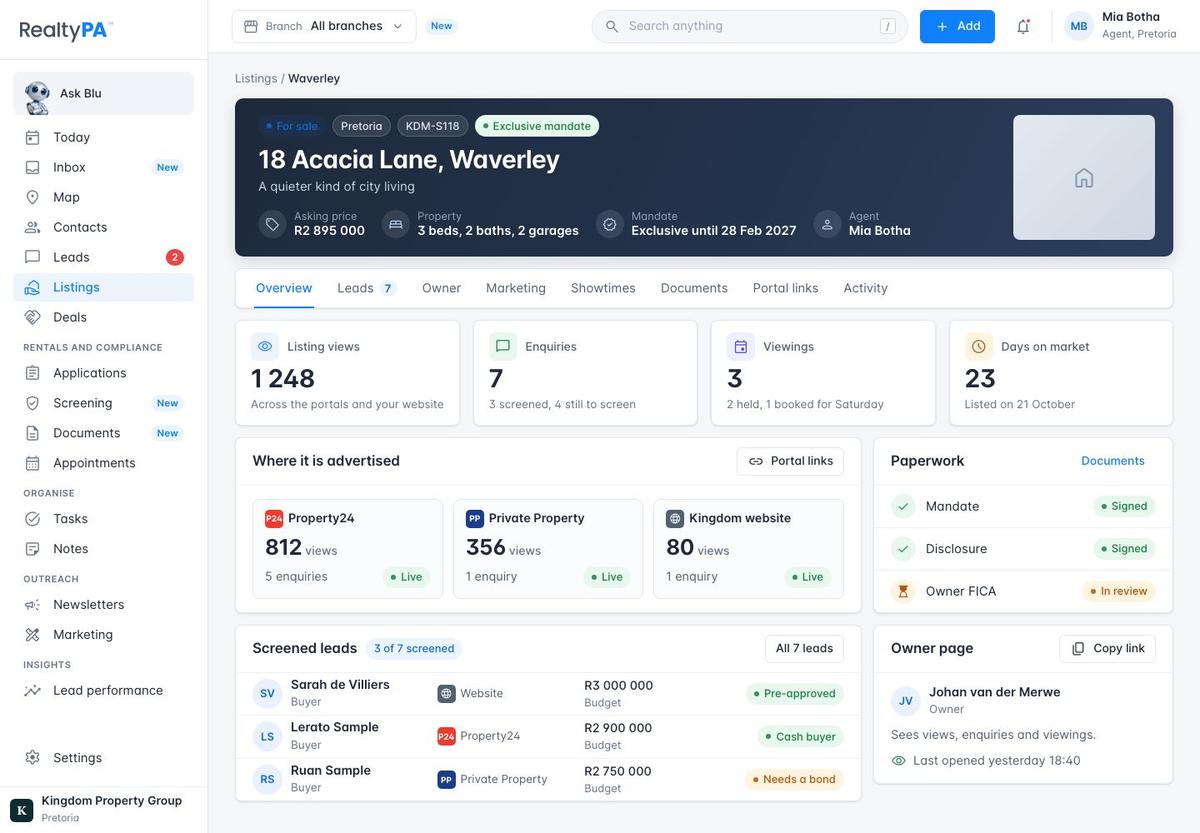
Listing page
ImprovedEach listing as a full page: price, mandate and agent at the top, views and enquiries per portal, screened leads and paperwork.
 View larger
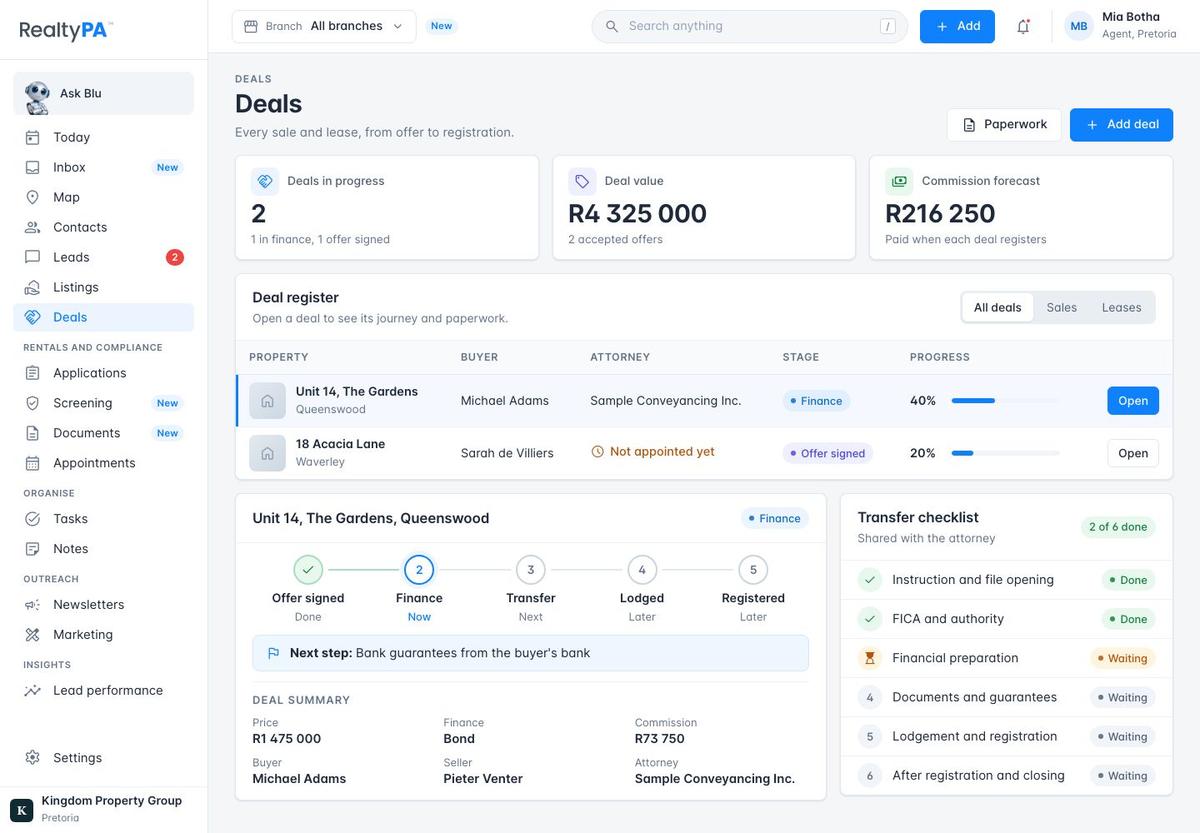
Deals
ImprovedEvery sale and lease from offer signed to registered, with the attorney, the next step and a transfer checklist.
 View larger
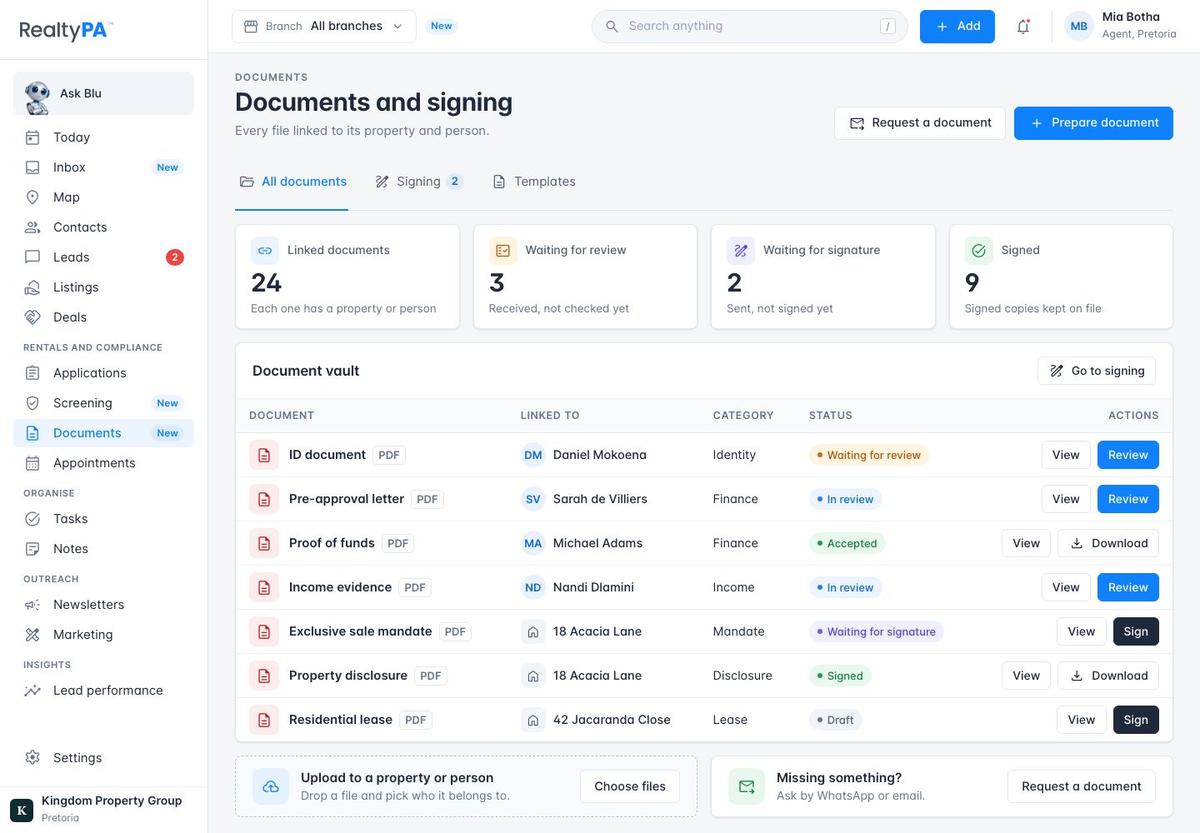
Documents
NewEvery file in one place, linked to its property or person, showing what waits for review and what waits for a signature.
 View larger
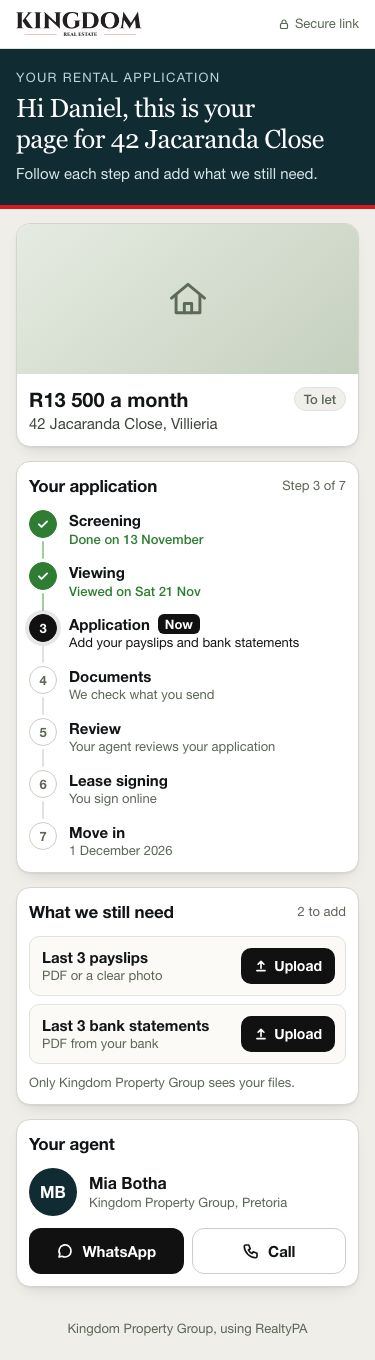
The tenant's own page
NewThe tenant follows their application on their phone, uploads what is still needed and reaches their agent in one tap.
Bigger changes
Two larger pieces. Branches come last because they touch every list in RealtyPA.
 View larger
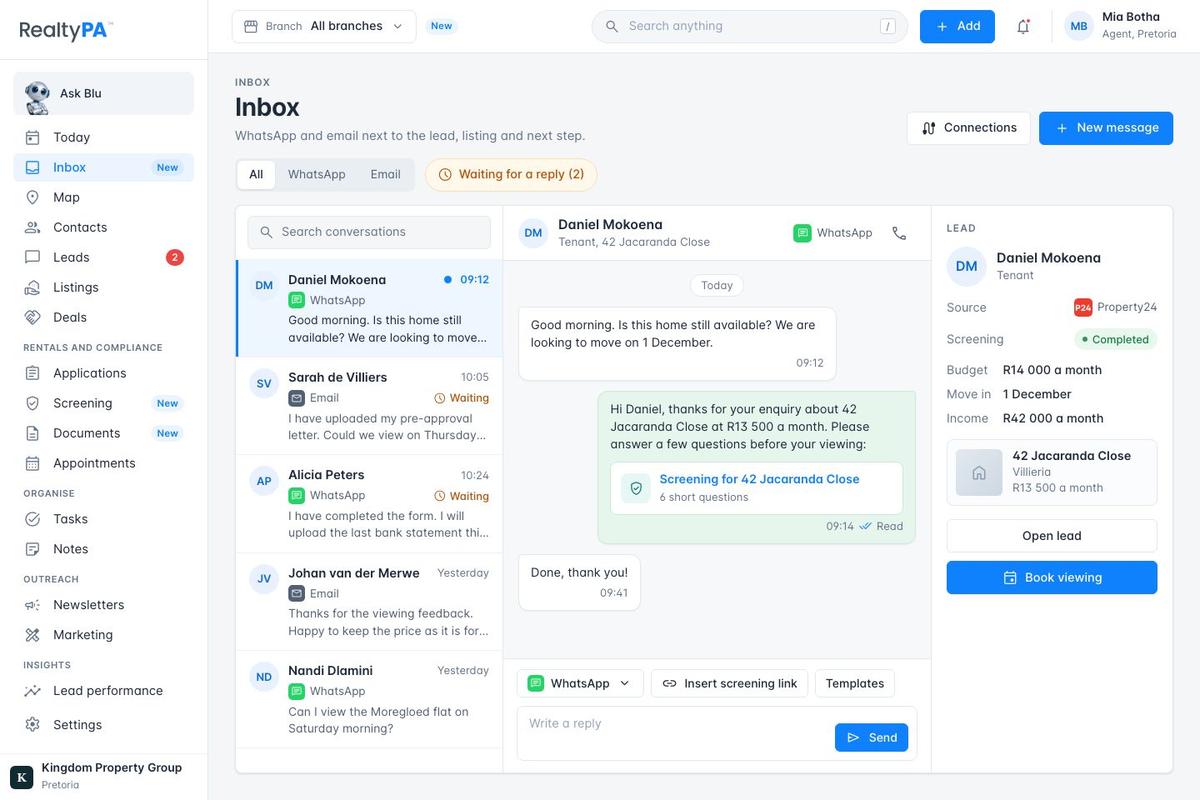
Inbox
NewWhatsApp and email in one inbox, next to the lead, with the screening link one tap away.
 View larger
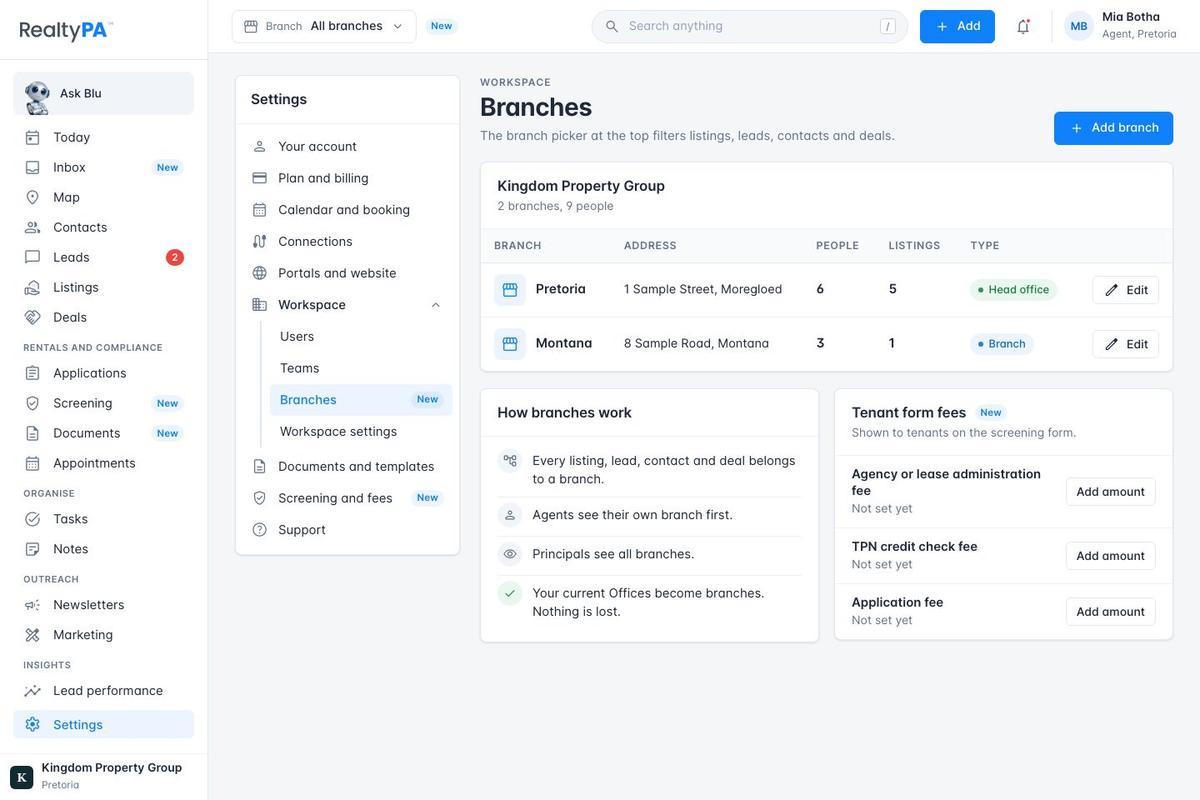
Branches
ImprovedYour offices become branches, and the picker at the top filters listings, leads, contacts and deals by branch.
Kingdom first
- Behind its own switchEvery agency gets these screens, each behind its own switch. Kingdom's goes on first, so your team uses each one with your own data before anyone else sees it.
- We build once you're happyBuilding starts once you are happy with these screens, with your forms first.
- Comments welcomeTell us what to change on any screen, however small.
Three things from your side
- Income on the tenant formShould tenants give exact amounts, or choose a range? Ranges ask for less personal information before a viewing.
- Your three tenant form feesThe amounts for the agency or lease administration fee, the TPN credit check fee and the application fee.
- WeConnectTheir API or import format, so a signed rental can go straight across. Until then, RealtyPA exports a handover pack.